All your WordPress sites. One panel. Zero data loss.
Scheduled off-site backups; one-click remote updates; uptime checks as often as every 30 seconds, with an alert the moment a site stops answering. However many sites you run, sleep well.
1 WordPress site free forever — no credit card required.

Trusted by 500+ agencies and freelancers
Backups and monitoring come first. Everything else is a bonus.
When a site goes down, what matters is noticing it and getting it back. WP Safer checks every connected site every 30 seconds to 5 minutes, depending on the plan, alerts you when it stops answering, and keeps a restorable backup ready.
Automated incremental backups
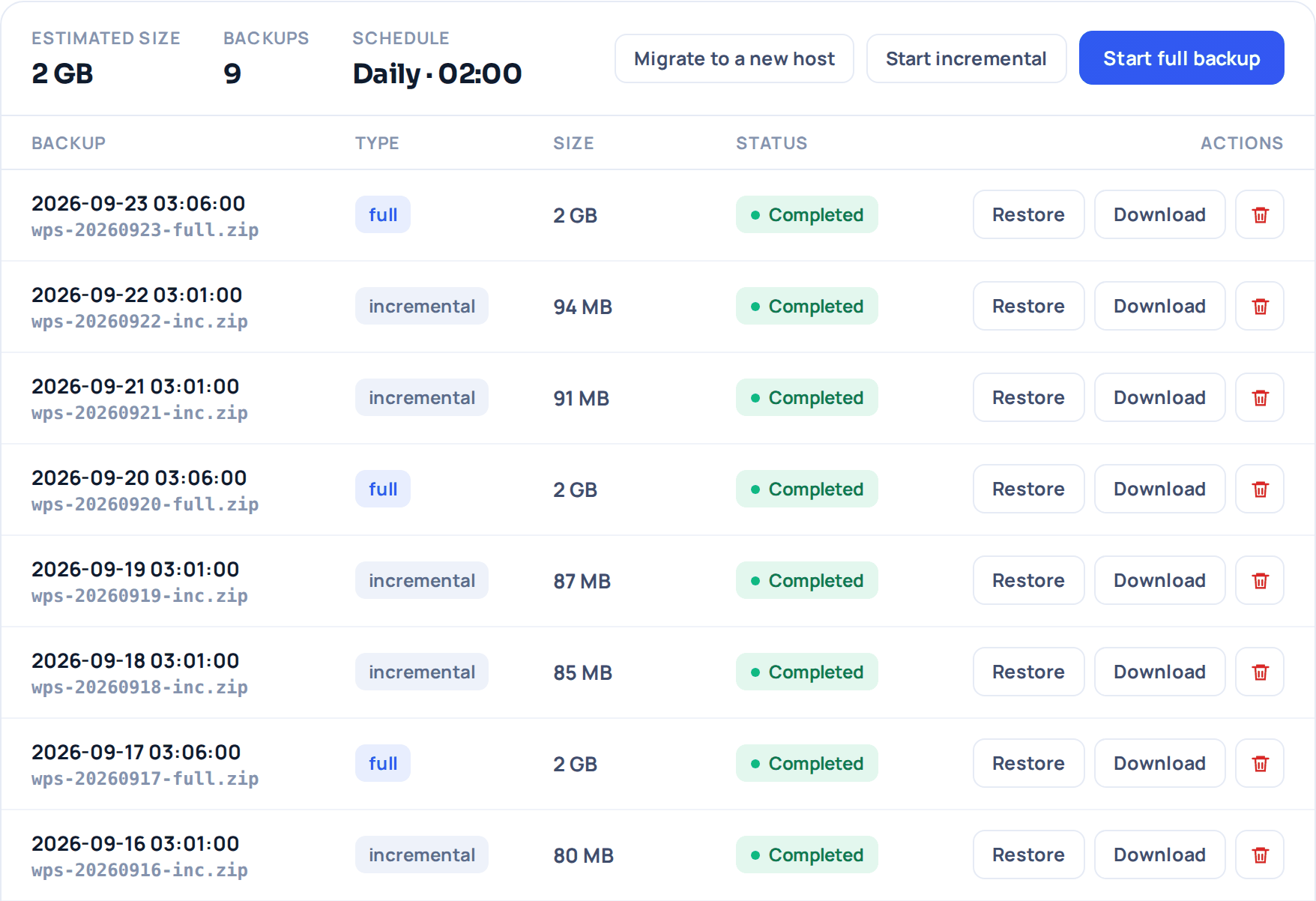
Schedule backups daily, weekly or monthly. The first run is a full backup; later runs store only what changed. Every archive is checked when it arrives.
Uptime & performance monitoring
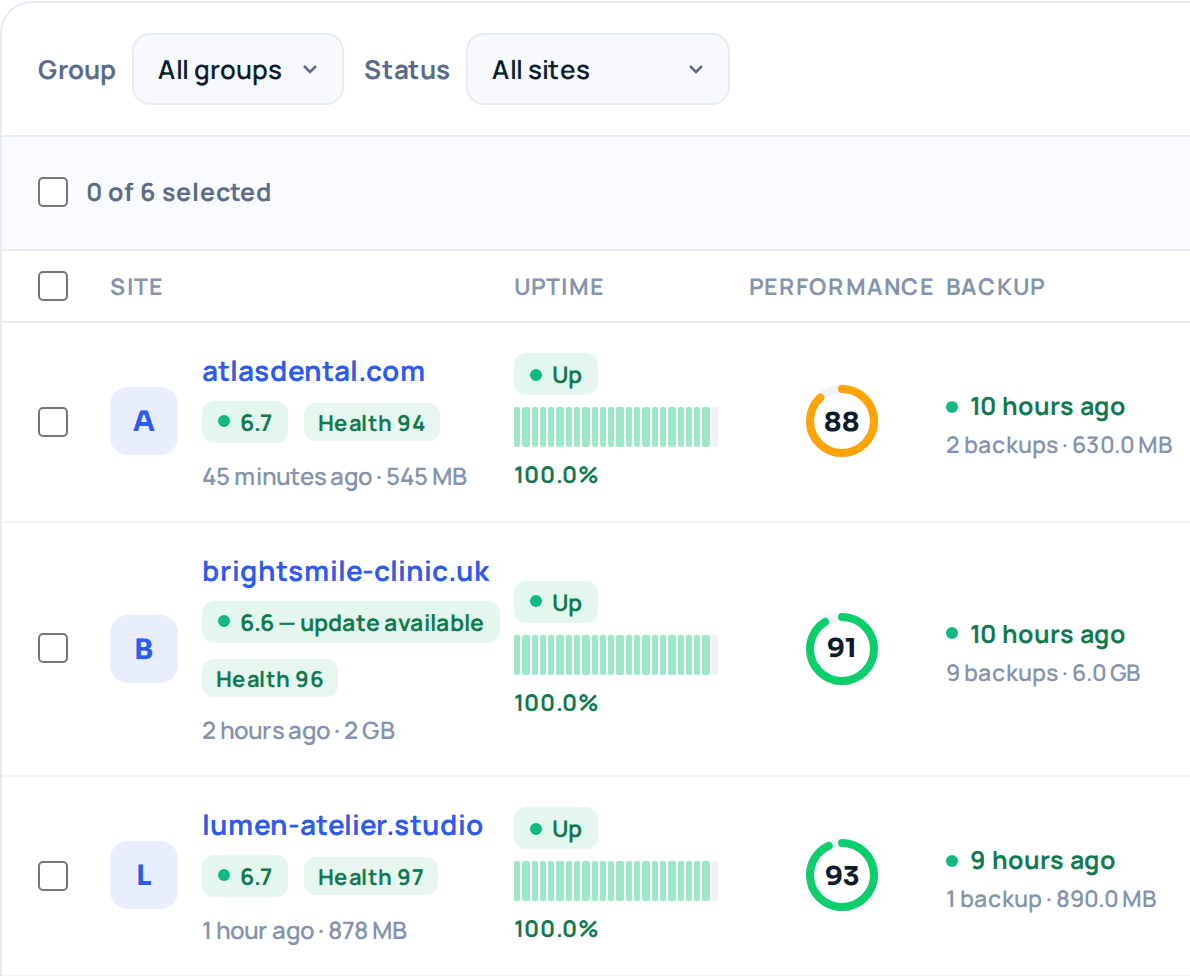
Every connected site is checked every 30 seconds to 5 minutes, depending on the plan. Two failed checks in a row open an incident, and you are told by email — or Slack, Discord, Telegram or your own webhook — both when the site goes down and when it comes back. A WordPress critical error still answers with HTTP 200, so the page itself is read as well. Each site keeps a 90-day uptime history with every incident, its cause and its response times.
On Pro and above every check is also broken down into DNS, TCP, TLS and server time, so “the site is slow” turns into a place to look — and you are warned before the TLS certificate or the domain name expires, and told when an A, AAAA or CNAME record changes.
Every incident is shown next to what changed on the site in the minutes before it started — a plugin, theme or core update — with a one-click plugin rollback and a restore of the last backup right there, both only when you ask for them. Each site also carries a single Site Health score built from its uptime, PageSpeed result, known vulnerabilities and backup freshness; anything we could not measure is left out of the score instead of counted as zero.
Safe remote updates
Bulk-update core, themes and plugins. Before a plugin is updated its current version is copied aside, and a few minutes after the update the site is opened again and read.
One panel for every site
See every site, version, plugin and user in one list; jump into any WP admin with a single login.
Known vulnerabilities per site
Every plugin, theme and WordPress version you run is matched against a public vulnerability database, and an affected site is flagged in the site list and in its Site Health score.
File changes you did not make
WordPress itself and the plugins you installed from wordpress.org are compared against the file lists wordpress.org publishes; your themes, premium plugins and drop-ins have no official list, so they are compared against a baseline taken the first time we scan the site. A file that changed, went missing or appeared out of nowhere is listed with the date it showed up, and a file that can be executed inside wp-content/uploads is called out on its own. A file you recognise can be marked as known once and stops being reported.
Reporting your clients can see
Every month opens with a maintenance report you can hand to your client as a PDF: backups taken and their size, core, plugin and theme updates applied, anything that failed or had to be put back, uptime per site with every incident and its cause, and a Site Health score. It arrives by email and as a link that opens without an account, with a one-click PDF download on the page. On Agency the report carries your logo and name instead of ours, and you can publish a status page on your own domain. On any paid plan you can embed a Site Health badge in the site itself — a static image that shows the uptime we measured and nothing else.
Security & compliance
When a client site was hacked, the alert came in at 02:40. We were back on a clean backup before 03:00. The client never noticed a thing the next morning.
Priced per site. No surprises.
Every plan includes off-site backups, remote updates, uptime monitoring with downtime alerts and a Site Health score for every site; on paid plans an update that breaks a site is put back automatically, and a monthly maintenance report arrives by email. Pay only for the sites you connect.
1 WordPress site free forever · cancel paid plans anytime · prices in USD, billed monthly
Connect your first site in under two minutes.
Install the plugin, paste your key, and set up your first backup schedule in minutes. Your first WordPress site is free forever — add more sites anytime.