How Would You Know If Your WordPress Site Went Down?
What actually happens between a WordPress site going down and you finding out — and how plan-based check intervals, two-check confirmation, and WordPress-specific health checks close that gap.
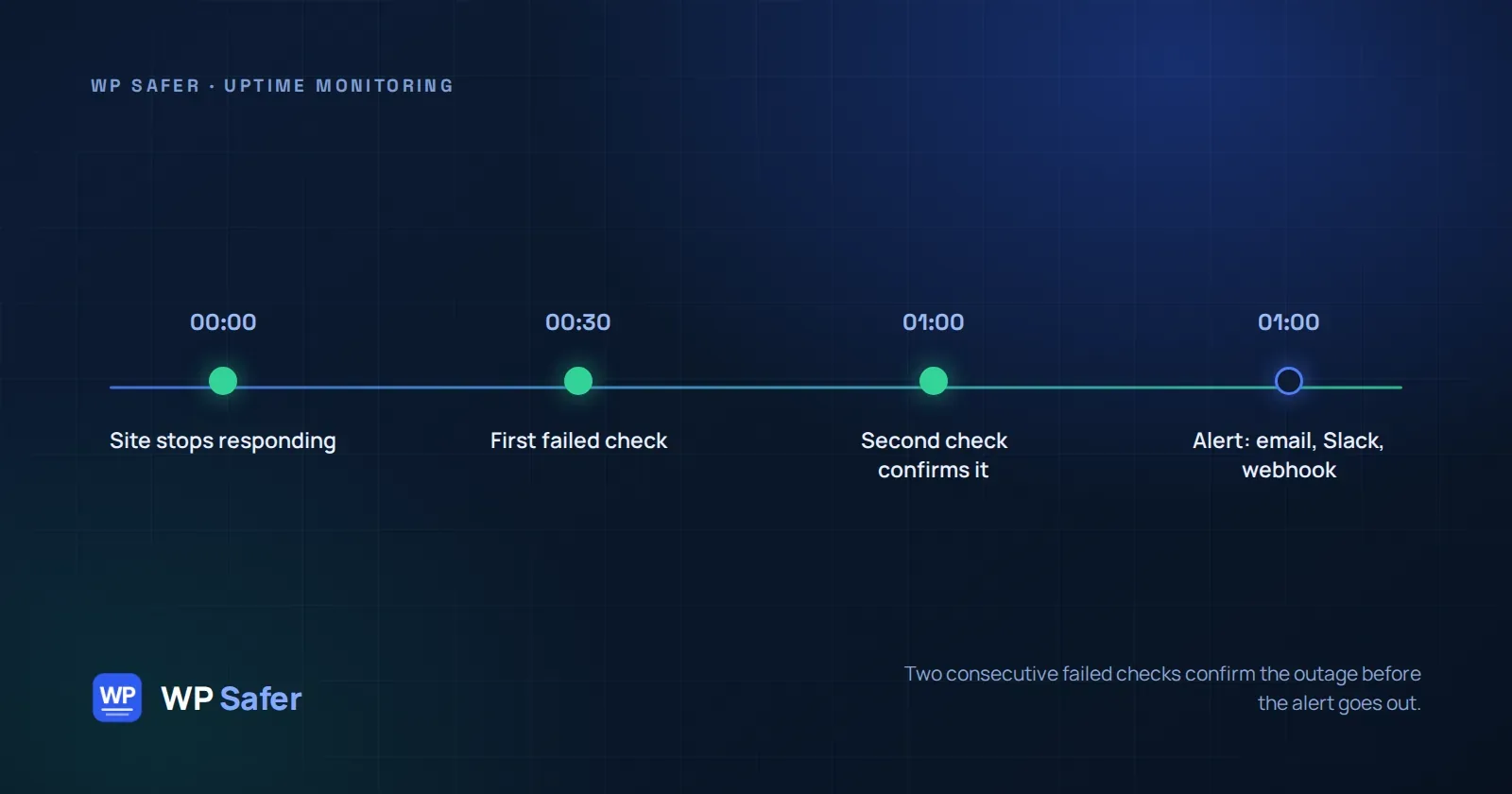
You find out your WordPress site is down the way most site owners do: a client calls, or you happen to open the homepage and see a timeout. By then it's already been down for a while — and every minute is lost traffic, lost sales, or a client wondering why they pay you to manage their site.
Here's what actually happens between "site goes down" and "you find out," and what you can do about the gap.
Why WordPress sites go down
Most outages aren't dramatic. A plugin update introduces a fatal error. A theme conflict throws a white screen. A hosting account runs out of resources during a traffic spike. An SSL certificate quietly expires. A domain registration lapses because a renewal email went to a spam folder. None of these announce themselves — they just make the site stop responding, and nobody notices until someone tries to visit it.
What "monitoring" actually means
Uptime monitoring is simple in concept: something outside your site checks whether it responds, on a schedule, and tells you when it stops. The details decide whether that's useful or just noise:
- How often it checks. A check every hour can leave a site down for most of that hour before anyone knows. WP Safer checks every 5 minutes on the Free plan, every minute on Starter and Pro, and every 30 seconds on Agency.
- How it avoids false alarms. A single failed request can be a temporary network blip, not a real outage. WP Safer only opens an incident after two consecutive failed checks — one bad request doesn't page you, a real outage does.
- What it checks besides "is it up." A site can return a 200 status and still be broken. WP Safer's health checks (available on Pro and Agency) also watch for a WordPress critical-error screen, a blank page, and whether WP-Cron is actually running — the kind of failure that a plain uptime ping misses entirely.
What happens when your site actually goes down
When an incident opens, WP Safer sends an alert to the account email by default. Starter and higher plans can also route alerts to Slack, Discord, Telegram, or a webhook of their own. The incident stays open until the first successful check, and every incident — with its cause and how long it lasted — is kept for 90 days per site so you can see patterns, not just individual blips.
Pro and Agency plans get more context around the "why": domain expiry tracking (with warnings before it lapses), DNS change detection, and a breakdown of where the time actually went on a slow request — DNS lookup, TCP connect, TLS handshake, or the server itself. If a plugin, theme, or core update was applied shortly before the incident, WP Safer will also show you what changed nearby — not as a claim that the update caused the outage, but as the first thing worth checking. For plugin updates specifically, if the update itself breaks the site, WP Safer can roll it back automatically.
Showing this to your clients
If you manage sites for clients, Agency plans include a public status page on your own domain, so clients can check a site's status themselves instead of emailing you. Every paid plan also gets a monthly maintenance report by email — backups, updates, and uptime for the period — something you can forward as-is.
The short version
You don't have to be the one who finds out your site is down by trying to visit it. A monitoring setup that checks often enough, confirms before alerting, and looks past a simple "is it up" answer will tell you before your clients do. See the plans and check intervals or the full FAQ for the specifics on your plan.